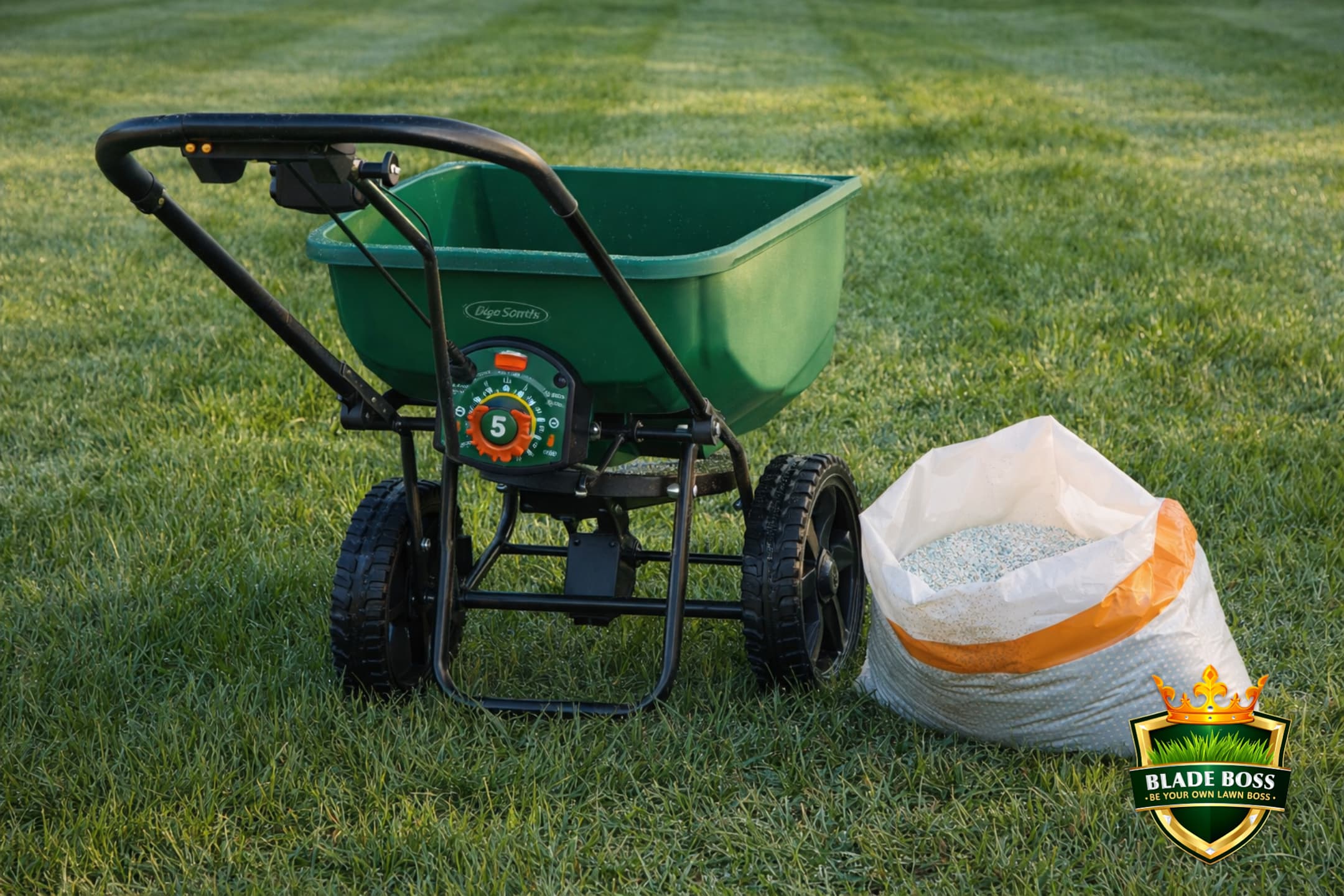
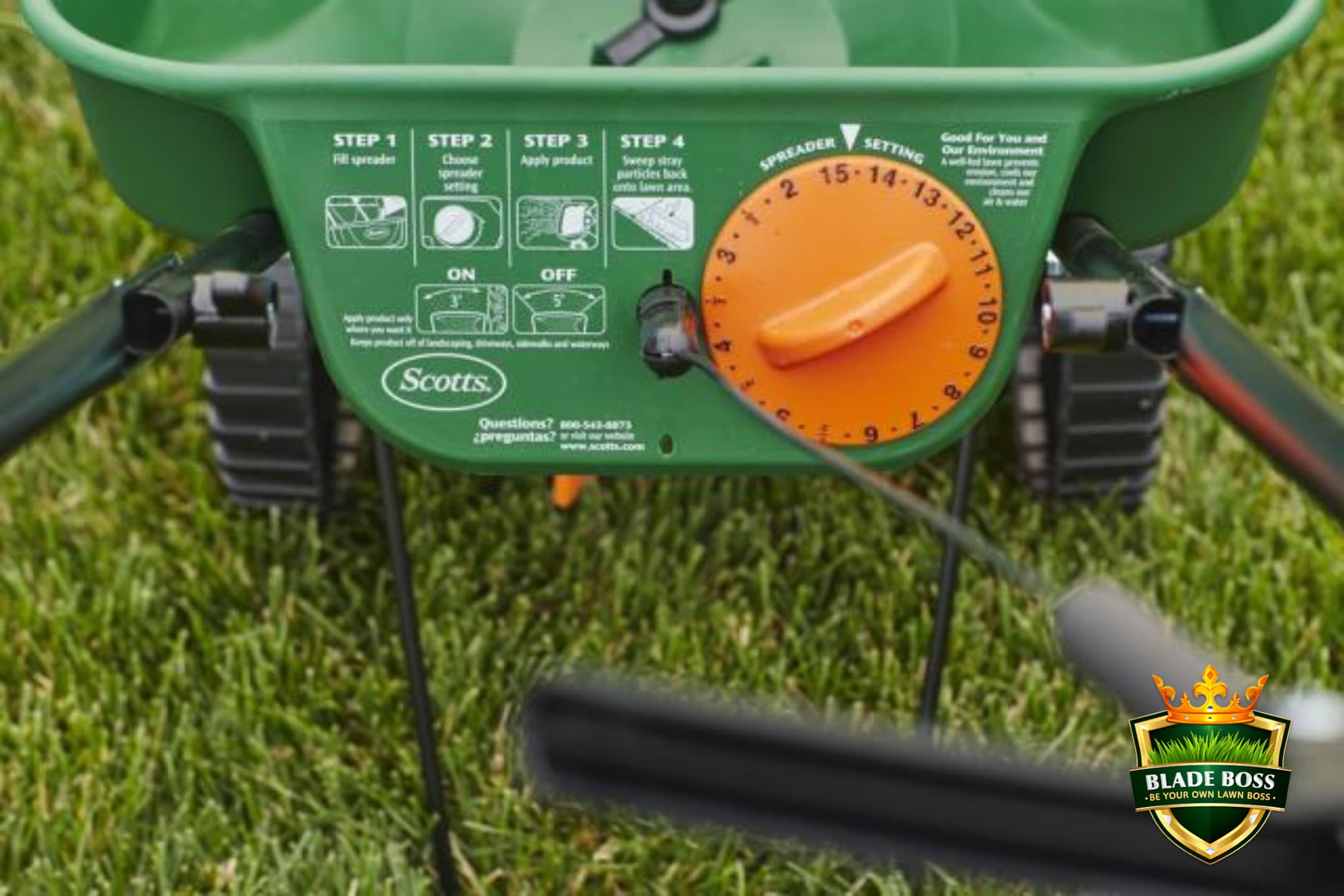
I'm going to save you from burning your lawn, poisoning the aquifer, or wasting $40 worth of fertilizer in 10 minutes. That dial on the back of your spreader is not a precision instrument. It's a rough mechanical gate that opens wider or narrower to let more or less product fall onto a spinning disk. The number on the dial correlates loosely with output. Loosely. A Lesco spreader set to the bag-recommended 19 was independently tested by a homeowner who weighed every pass and found it delivered 5.83 lbs per 1,000 sq ft instead of the target 3.5. That's 67% over. On sandy Long Island soil, that kind of overshoot sends nitrogen straight to the aquifer.
- Bag settings are starting points, not guarantees. Walking speed, spreader wear, product density, and overlap pattern all change actual output.
- Verified label settings for 9 common products are listed below, pulled directly from manufacturer labels and product pages.
- The SiteOne SGN 240 conversion chart is the Rosetta Stone for converting between Lesco, Scotts EdgeGuard, Earthway, and Spyker spreaders.
- Echo RB-60 and Scotts share the same numeric scale per the Echo owner's manual. Scotts setting 6 = Echo setting 6.
- The only real answer is calibration. Cornell's 25-foot method takes 10 minutes with a bathroom scale and tells you exactly what your specific spreader delivers at any setting.
This guide gives you three things: the verified numbers from the bag (so you have a starting point), the conversion chart between spreader brands (so you can translate), and the calibration method (so you can verify). If you're following the Blade Boss fertilizer schedule and need to know what dial setting delivers 0.50 lbs N per 1,000 sq ft from your specific product, this is how you figure it out.
Why the Number on the Bag Is Wrong
Spreader settings printed on fertilizer bags are developed under controlled conditions: a specific walking speed (usually about 3 mph), a specific overlap pattern, a brand-new spreader with no wear, and a product at a specific moisture level. Change any one of those variables and the output changes. Here's what actually affects how much product hits your lawn.
Walking Speed
Slower pace = more product per square foot. Faster pace = less. Rutgers Extension confirms that application rate is directly tied to ground speed. Most labels assume about 3 mph (a brisk walk).
Spreader Wear
Gate mechanisms loosen over time. A 3-year-old EdgeGuard at setting 4 may deliver more product than a brand-new one at the same setting. Purdue recommends recalibrating every season.
Product Moisture
Humid granules flow differently than dry ones. Earthway's manual explicitly warns that wet fertilizer changes both flow rate and spread pattern. Store products sealed and dry.
Overlap Pattern
How close your passes are changes total application per area. Scotts recommends 5-foot spacing. Purdue recommends 50% overlap. LSU found many homeowner spreaders need double or triple overlap for uniformity.
Scotts Turf Builder EdgeGuard DLX Broadcast Spreader
The most common homeowner broadcast spreader on Long Island. Settings 2 through 15. EdgeGuard blocks the right side to prevent overshoot onto sidewalks. Holds up to 15,000 sq ft of product. Every Scotts product label includes settings for this model.
Check PriceScotts Turf Builder EdgeGuard Mini Broadcast Spreader
Same dial system as the DLX (settings 2 through 15) in a smaller frame. Holds up to 5,000 sq ft of product. Scotts labels use the same settings for both Mini and DLX. Good for yards under 5,000 sq ft where the DLX is overkill.
Check PriceLesco 50 lb Commercial Rotary Spreader
The spreader lawn care professionals use. Calibration gauge system in 1/32-inch increments for repeatable accuracy. Separate rate and pattern controls. SiteOne publishes official SGN conversion charts for this platform. Available at SiteOne Landscape Supply locations.
Check PriceEcho RB-60 Broadcast Spreader
The Echo manual includes a setting comparison chart showing that Echo and Scotts share the same numeric scale (2 through 15). If a product lists a Scotts setting, use the same number on the RB-60. Built heavier than the Scotts consumer models.
Check PriceA homeowner on r/lawncare ran a proper 1,000 sq ft calibration test with a 50 lb Lesco spreader. The bag recommended setting 19 for 3.5 lbs/1,000. His measured output at setting 19: 5.83 lbs/1,000. He had to drop to setting 14 to get close to the target (3.7 lbs/1,000). Setting 12 gave him 2.81. That's a massive range from a 7-point dial adjustment. On Long Island's sandy soils, that kind of error has real consequences. The bag was wrong for his spreader, his walking speed, and his overlap pattern.
Verified Label Settings (From Actual Product Bags)
These settings come directly from manufacturer product labels, retailer-hosted label PDFs, and manufacturer spreader-settings pages. They are the official starting points. Most Scotts labels list a single setting for all Scotts broadcast/rotary spreaders without differentiating between the EdgeGuard DLX and EdgeGuard Mini.
| Product | Rate (lbs/1K) | N per 1K | Scotts DLX/Mini | Scotts Drop | Lesco Rotary |
|---|---|---|---|---|---|
| Scotts Turf Builder Lawn Food (32-0-4) | 2.5 | 0.80 lb N | 3 1/2 | 6 1/2 | n/a |
| Scotts WinterGuard Fall (32-0-10) | 2.5 | 0.80 lb N | 2 3/4 | 6 | n/a |
| Scotts Triple Action for Seeding (21-22-4) | 4.3 | 0.90 lb N | 4 1/2 | 7 | n/a |
| Scotts Starter Food (24-25-4) | 3.0 | 0.72 lb N | 3 3/4 | 6 | n/a |
| Scotts Halts Crabgrass Prev. (pendimethalin) | 2.0 | 0 N | 2 3/4 | 4 1/2 | n/a |
| Scotts Thick'R Lawn Sun/Shade (9-1-1) | 10.0 | 0.90 lb N | 9 | 11 | n/a |
| Milorganite (6-4-0) | 12.8 | 0.77 lb N | 11 1/2 | n/a | See pro table |
| Jonathan Green Lawn Food (29-0-3) | 3.0 | 0.87 lb N | 6 | 7 | 12 |
| Jonathan Green Crabgrass Prev. (20-0-3) | 3.2 | 0.64 lb N | 5 | 7 | 11-12 |
Scotts does not publish Lesco rotary settings on their product labels. Scotts labels only reference Scotts-brand spreaders. To convert a Scotts setting to a Lesco setting, you need the SiteOne SGN 240 conversion chart (below). Jonathan Green is the exception: their labels include Lesco settings directly.
Know Your Rate Before You Set Your Dial
The Blade Boss Fertilizer Calculator tells you exactly how many pounds of product per 1,000 sq ft you need based on your target N rate, your product's analysis, and your zone size. Get the rate first, then set the dial.
The SiteOne SGN 240 Conversion Chart
This is the chart that lawn care professionals use to convert between spreader brands. SiteOne (which owns the Lesco brand) publishes it for SGN 240 standard granules, which covers most common granular fertilizers. Find your Lesco calibration gauge setting on the left, then read across to your spreader model. Echo RB-60 users: the Echo manual shows that Echo and Scotts share the same numeric scale, so use the Scotts column.
| Lesco Setting | Scotts DLX/Mini | Echo RB-60 | Earthway | Spyker |
|---|---|---|---|---|
| 11 | n/a | n/a | 13 | 3 |
| 12 | 4 | 4 | 13 1/4 | 3 1/4 |
| 13 | 5 | 5 | 13 3/4 | 3 1/2 |
| 14 | 5 | 5 | 14 1/2 | 4 |
| 15 | 6 | 6 | 15 1/2 | 4 1/4 |
| 16 | 6 | 6 | 16 3/4 | 4 1/4 |
| 17 | 6 1/2 | 6 1/2 | 17 3/4 | 4 1/2 |
| 18 | 7 | 7 | 18 1/4 | 4 3/4 |
| 19 | 7 1/2 | 7 1/2 | 18 3/4 | 4 3/4 |
| 20 | n/a | n/a | 20 | 5 |
| 21 | n/a | n/a | 20 3/4 | 5 |
| 22 | n/a | n/a | 21 1/4 | 5 1/4 |
| 23 | n/a | n/a | 22 | 5 1/4 |
| 24 | n/a | n/a | 23 | 5 1/2 |
Find the Lesco setting on the product bag. Look across to your spreader. If your spreader column shows "n/a" at that Lesco setting, you're outside the published range for that model. For Scotts EdgeGuard, SiteOne only publishes conversions for Lesco settings 12 through 19. Above that (Lesco 20+), the Scotts gate may not open wide enough to match. Use the Earthway or calibrate independently.
Example: Jonathan Green Lawn Food lists Lesco setting 12 on the bag. The chart shows Lesco 12 = Scotts EdgeGuard 4 = Echo RB-60 4 = Earthway 13 1/4 = Spyker 3 1/4. The Jonathan Green label itself says Scotts 6 for the same product. That's a discrepancy: the SGN chart says 4, the label says 6. This is exactly why you calibrate rather than trusting any single source blindly.
The 25-Foot Calibration Method (Cornell Extension)
This is the method that actually works. Forget the charts for a minute. Cornell Cooperative Extension published a simple calibration procedure that uses a 25-foot test strip, a bathroom scale, and basic math. It takes about 10 minutes and tells you exactly what YOUR spreader delivers at any setting with YOUR product at YOUR walking speed. Every extension service (Penn State, Rutgers, Purdue, UMass) teaches a variation of this same approach.
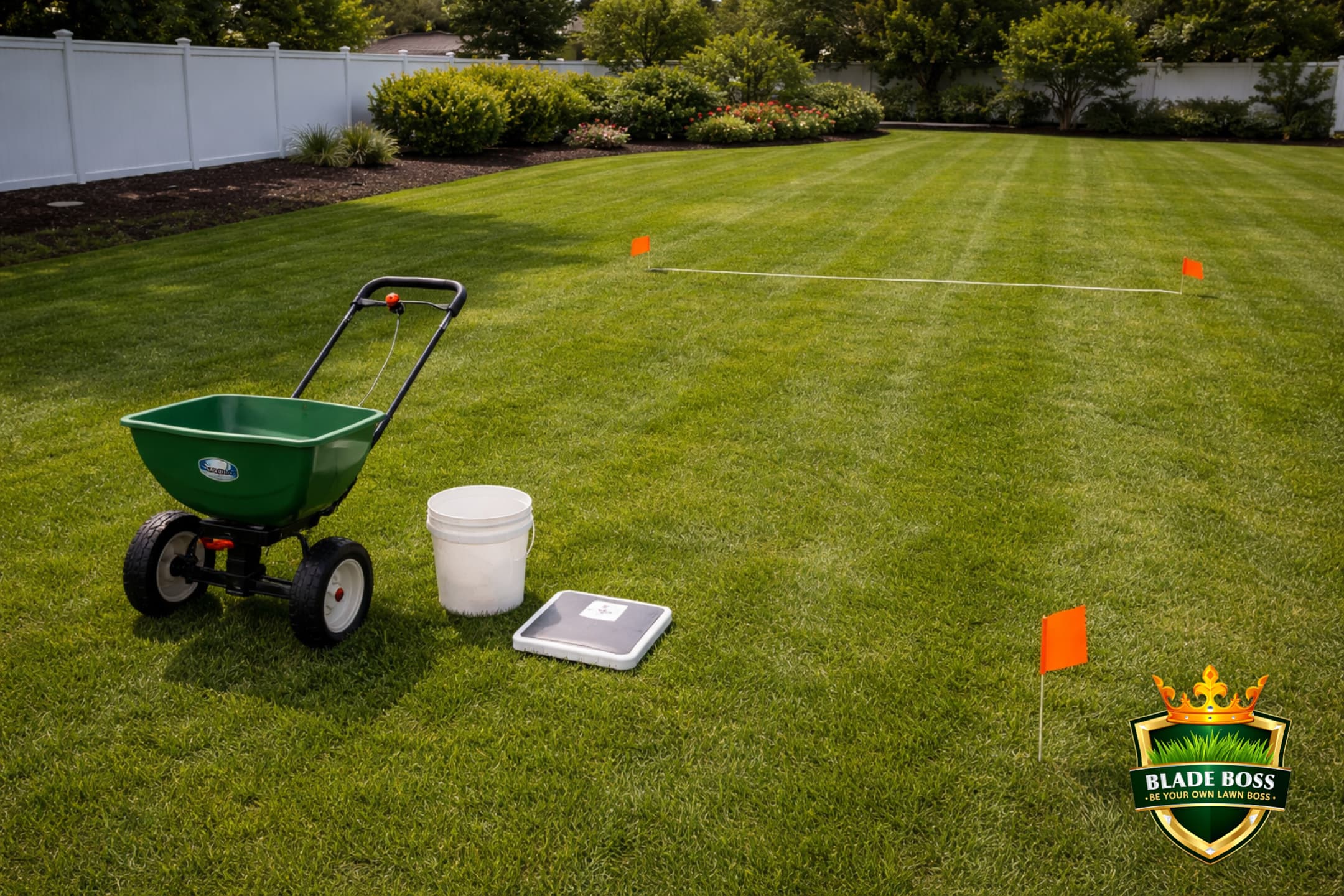
Load 10 lbs of product
Weigh exactly 10 pounds of your fertilizer (or lime, or pre-emergent) on a bathroom scale and load it into the spreader hopper. This is your starting weight.
Set the dial to the bag recommendation
Use the manufacturer's label setting as your starting point. If converting between brands, use the SiteOne chart above to get in the ballpark.
Mark a 25-foot test strip
Use two flags, stakes, or cones exactly 25 feet apart on your lawn. This is your calibration run. Start a few feet before the first flag so you're at walking speed when you cross it.
Walk the strip at your normal pace
Open the spreader as you cross the first flag. Close it as you cross the second flag. Walk at the same speed you'll actually use when treating your lawn. Do NOT slow down for the test.
Measure the spread width
Walk back and measure how wide the product actually spread (not how far a few stray granules flew, but the main band of coverage). This is your effective swath width in feet.
Weigh what's left in the hopper
Pour the remaining product back into a bucket and weigh it. Subtract from 10 to get the pounds you applied: Applied = 10 minus remaining.
Calculate your actual rate
Your test area = 25 feet times your measured width. Your rate = (pounds applied divided by test area) times 1,000. That gives you your actual lbs per 1,000 sq ft at that dial setting and walking speed.
Adjust and repeat
If the rate is too high, lower the dial. If too low, raise it. Run the test again. When the measured rate matches your target (for example, 2.5 lbs/1,000 for Scotts Turf Builder), write down that setting and use it.
This is the detail most guides skip. You cannot calibrate your spreader once and assume that setting works for everything. Every product has different granule size, density, and flow characteristics. Scotts Turf Builder (small, dense prills) flows completely differently than Milorganite (large, light granules) at the same gate opening. A setting that delivers 2.5 lbs/1,000 of Turf Builder might deliver 8 lbs/1,000 of Milorganite. You need to run the 25-foot calibration test every time you switch products. Write the verified setting on the bag with a Sharpie so you don't have to retest next time you use that same product.
Example: you applied 1.2 lbs across a 25-foot strip that was 8 feet wide. Your test area = 25 x 8 = 200 sq ft. Your rate = (1.2 / 200) x 1,000 = 6.0 lbs per 1,000 sq ft. If your target was 3.0 lbs/1,000, your setting is way too high. Drop the dial 2 to 3 clicks and run it again.
How Close Is Close Enough?
Rutgers ProFACT (Professional Fertilizer Applicator Certification) considers calibration acceptable when the actual output is within 10% of the target. UMass Extension uses a tighter 5% tolerance. For homeowner DIY, aim for within 10%. That means if your target is 3.0 lbs/1,000, anything between 2.7 and 3.3 is acceptable. Don't chase perfection. Just don't be 67% off like the uncalibrated Lesco example.
The Scotts Wheel Striping Problem (And How to Fix It)
If you own a Scotts EdgeGuard DLX or Mini and you're seeing a checkerboard or zebra stripe pattern after fertilizing, you're not crazy and you're not doing it wrong. This is a well-documented design issue that has generated hundreds of complaints on Home Depot reviews and lawn care forums. The problem: the impeller (spinning disk) sits below the top of the wheels. When you walk too slowly, the impeller doesn't spin fast enough to throw granules over the wheels. Instead, product hits the inside of the hollow plastic wheels, collects there, and drops straight down in concentrated lines as you walk. The result is dark green stripes exactly where your wheels tracked.
Fix #1: Walk faster (most important). This is the real fix. The impeller is wheel-driven, so faster walking = faster spin = product clears the wheels. Scotts recommends about 3 mph (a brisk walk, roughly 4 feet per second). If you're strolling, the impeller can't do its job. Walk like you're late for something.
Fix #2: Spray cooking spray on the inside of the wheels. A light coat of non-stick spray (PAM or generic) on the inner surfaces of both wheels prevents granules from sticking and accumulating. Reapply before each use. This is the most popular DIY fix on the lawn care forums.
Fix #3: Line the inside of the wheels with duct tape. Black duct tape or foil tape on the inner wheel surfaces creates a smooth barrier that granules slide off of instead of collecting in the hollow channels. Some users report this works better than cooking spray for fine-prill products like Milorganite.
Fix #4: Use larger-prill fertilizers. Smaller granules (like Scotts products and Milorganite) are more likely to get trapped in the wheels than larger prills (like Lesco or The Andersons products). If you've switched to a premium fertilizer with larger SGN, the striping often disappears on its own.
Fix #5: Upgrade your spreader. Spreaders with pneumatic (air-filled) tires or solid closed wheels (Scotts Elite, Earthway 2150, Lesco rotary) don't have this problem because there's no hollow wheel cavity for granules to collect in. If the striping is driving you crazy and the fixes above aren't enough, the real solution is a better spreader.
If the damage is already done: the dark stripes will fade in 2 to 4 weeks as the concentrated fertilizer works through the soil. You can speed the process by applying a light iron supplement (like Ironite or a chelated iron spray) across the entire lawn to darken the lighter areas and even out the color. Do NOT re-apply fertilizer to the lighter stripes. The lighter areas got the correct amount. The dark stripes got too much.
Spreading Technique (The Other Half of Accuracy)
Even with a perfectly calibrated dial setting, poor technique creates stripes and uneven coverage. The dial controls rate. Your walking pattern controls uniformity.
- Walk at a consistent, brisk pace (about 3 mph or 4 feet per second). Scotts, Lesco, and Earthway all assume approximately this speed. Slowing down increases application rate.
- Scotts EdgeGuard: 5-foot spacing between passes. Scotts' official guidance. This means your next wheel track should be about 5 feet from the previous one.
- Lesco rotary: use the effective pattern width, not the throw width. Lesco's manual defines effective width using a half-the-center-pan test. For most products, this is narrower than you think.
- Consider the half-rate two-direction method. Set your dial to deliver half the target rate, then make two passes in perpendicular directions. Purdue recommends this for rotary spreaders to minimize striping. It takes longer but the result is dramatically more uniform.
- Treat the perimeter first. Walk the edges of your lawn with the EdgeGuard engaged (or the spreader aimed inward), then fill in the interior with parallel passes. This prevents overshoot onto sidewalks and beds.
- Don't stop and restart mid-pass. If you stop with the gate open, you'll dump a pile. Start moving before opening the gate. Close it before you stop.
The Bag Math Formula (Convert Any Bag to lbs per 1,000)
Every fertilizer bag tells you its net weight and coverage area. That's all you need to calculate the target application rate. Here's the formula:
Target rate (lbs per 1,000 sq ft) = (bag weight in lbs / bag coverage in sq ft) x 1,000.
Example: Scotts Turf Builder Lawn Food is 12.5 lbs and covers 5,000 sq ft. Rate = (12.5 / 5,000) x 1,000 = 2.5 lbs per 1,000 sq ft. That's your target for calibration. If your nitrogen plan calls for a different rate, use the same formula in reverse: divide your target N by the product's N percentage to get the product rate, then calibrate to that number.
Why This Matters More on Long Island
Every other lawn care site publishes this as generic advice. Here's why it matters more here. Long Island sits over a sole-source aquifer. Every gram of nitrogen that leaches past the root zone enters our drinking water. And if you're spreading lime to correct pH, over-application wastes product and can overshoot your target. Suffolk County's sandy soils (CEC 2 to 5 in the South Shore corridor) have almost no ability to hold excess nutrients. A 67% over-application on those soils doesn't just waste fertilizer. It's a direct pipeline to groundwater.
This is why the Blade Boss fertilizer schedule recommends a maximum of 0.50 lbs quick-release N per application on sandy soils, and why the Nassau County guide and Suffolk County guide both emphasize split applications and slow-release products. Calibrating your spreader isn't just about stripes. It's about water quality.
Answer 2 quick questions about your product and spreader model.
We'll text you when GDD and soil temps hit the right thresholds for your next application. One text per milestone, no spam.
No spam. One seasonal alert per application window. Unsubscribe anytime.
All 9 product settings, the SiteOne conversion chart, and the 25-foot calibration method on a printable 2-page card. Tape it inside your garage door.
See what Blade Boss members get and get instant access to preview the Fertilizer Calculator, Lawn Map Pro, and the Soil Correction Engine. Calculate your exact product rate and spreader setting before you touch the dial.
See Plans →Chris C. is a Combat Search and Rescue pilot turned airline pilot and the founder of Blade Boss. He built the platform after realizing that generic lawn care advice doesn't work on Long Island's unique soils and that most homeowners are applying fertilizer at rates they've never actually verified.
Related Reads
Now that your spreader is dialed in, make sure you're applying the right product at the right time: the fertilizer schedule gives you the 5-round nitrogen plan for Zone 7B, the fertilizer calculator converts any N rate into exact product pounds and spreader amounts, the month-by-month calendar tells you when each application happens, and the pre-emergent guide covers timing for your first spring application. For soil-specific rate adjustments, see the Suffolk County guide or the Nassau County guide.
Frequently Asked Questions
What setting should I use on my Scotts EdgeGuard DLX for fertilizer?
It depends on the product. Scotts Turf Builder Lawn Food (32-0-4) uses setting 3.5 on the EdgeGuard DLX. Scotts WinterGuard (32-0-10) uses 2.75. Scotts Starter Food uses 3.75. Jonathan Green Lawn Food (29-0-3) uses 6. These are manufacturer label settings. However, bag settings are starting points, not guarantees. Walking speed, spreader wear, product moisture, and overlap pattern all affect actual output. The only way to verify is to calibrate using a measured test area and a scale.
How do I convert Lesco spreader settings to Scotts?
SiteOne publishes an official SGN 240 conversion chart that maps Lesco calibration gauge settings to Scotts EdgeGuard, Earthway, and Spyker equivalents. For example, Lesco setting 15 converts to Scotts EdgeGuard DLX setting 6 for SGN 240 standard granules. The Echo RB-60 manual shows that Echo and Scotts share the same numeric scale, so Scotts 6 also equals Echo 6. Always verify with a calibration run after converting because spreader-to-spreader variation exists even within the same model.
Why did I run out of fertilizer before covering my whole lawn?
The three most common reasons are: walking too slowly (slower pace means the spreader dispenses more product per square foot), overlapping passes too much (especially with the half-rate two-direction method), or the bag's printed setting being too high for your specific spreader. Spreader settings printed on bags are approximate. The same Scotts EdgeGuard DLX at the same setting can deliver different amounts depending on walking speed, mechanical wear, hopper fill level, and product granule characteristics. The fix is to weigh your product before and after treating a measured test area to calculate your actual application rate.
How do I calibrate my fertilizer spreader at home?
Cornell Cooperative Extension publishes a simple 25-foot calibration method. Load 10 pounds of product into your spreader. Mark a 25-foot test strip on your lawn. Walk the strip at your normal pace with the spreader open. Measure how wide the product spread (that is your effective swath width). Weigh what remains in the hopper. Subtract from 10 to get pounds applied. Divide by the test area (25 feet times your measured width) and multiply by 1,000 to get your actual pounds per 1,000 square feet. Compare to your target rate and adjust the dial up or down. Repeat until the measured rate matches the target.
Are Scotts EdgeGuard DLX and EdgeGuard Mini settings the same?
Yes, for most products. Scotts product labels list a single setting for all Scotts broadcast and rotary spreaders without differentiating between the EdgeGuard DLX and EdgeGuard Mini. The SiteOne SGN 240 conversion chart also shows the same values for both models across the published setting range. However, the Mini has a smaller hopper and may distribute slightly differently at the edges due to its smaller impeller, so calibration is still recommended.

Keep Reading
 DIY How-To
Dog-Friendly Lawn Care: Safe Products for Long Island Pet Owners
Every product you put on your lawn is something your dog walks on, rolls in, and licks off...
May 13, 2026
12 min
 DIY How-To
GDD Explained: The Secret to Perfect Lawn Timing
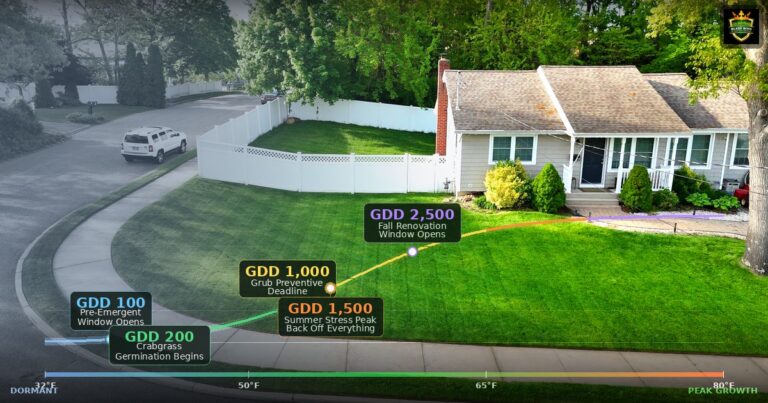
Growing degree days (GDD) predict exactly when to apply pre-emergent, fertilize, and treat for pests on your lawn....
Feb 25, 2026
14 min
 DIY How-To
The Truth About Lawn Care Services on Long Island (DIY Comparison)
Long Island lawn services cost $1,200 to $3,000 a year and most treat your lawn identically to every...
Mar 25, 2026
15 min
What is your lawn actually sitting on?
Pull the soil survey, hardiness zone and current growing conditions for your exact address. Eight government sources, about a minute.
No comments yet. Be the first to share your thoughts.
Create a free account to join the conversation.